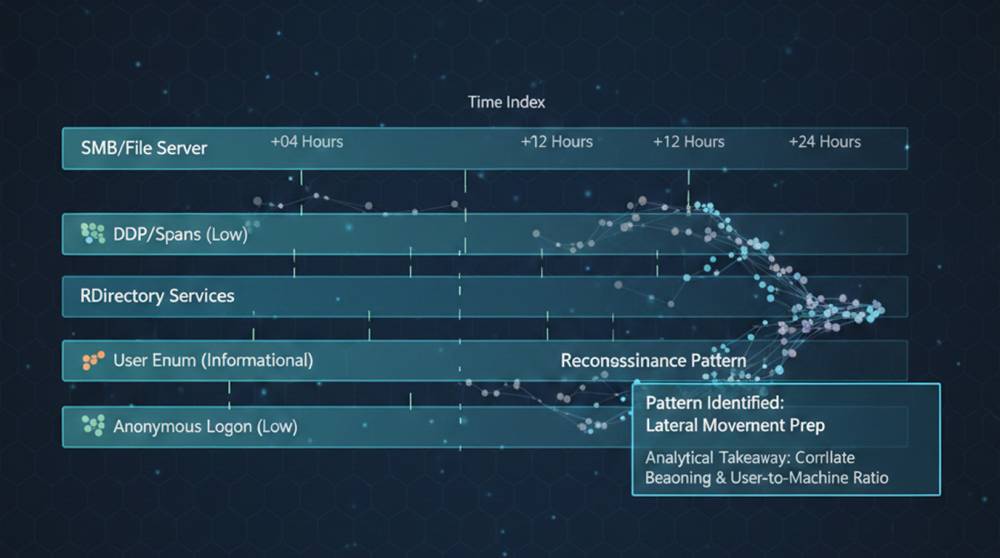
Network reconnaissance isn’t loud, it doesn’t trip alarms or crash systems, it’s someone looking around carefully, touching many things and breaking nothing.
If you miss recon, you usually meet ransomware later.
What Attackers Are Actually Doing
Before attackers move, they want answers:
1. What hosts exist?
2. Which services respond?
3. Where do credentials work?
4. What’s trusted internally?
Every question leaves a trace.
Logs don’t scream it but they whisper it.
Common Tools Used for Network Recon
Attackers don’t need exotic malware.
They use tools admins already know.
Typical examples:
1. nmap for host and port discovery
2. net, wmic, nltest for Windows enumeration
3. smbclient or net view for share discovery
4. ldapsearch or PowerShell AD cmdlets
5. Built-in RDP clients for access testing
Recon blends in because these tools are normal.
SMB Recon — What It Looks Like in Logs
Attacker behavior:
Enumerating shares across multiple systems.
Example commands attackers use:
smbclient -L //fileserver01 -U user
net view \\fileserver01
What shows up in logs:
1. Repeated access-denied events
2. Attempts to access ADMIN$, C$, IPC$
3. One user touching many file servers quickly
Windows Event IDs to watch:
1. 4624 / 4625 (logon success/failure)
2. 5140 (network share accessed)
3. 5145 (detailed share access)
If one account starts “window shopping” file servers, that’s recon.
RDP Recon — Quiet Access Testing
Attacker behavior:
Testing where credentials work.
Typical pattern:
1. Login
2. Disconnect
3. Repeat elsewhere
Example behavior (not malware):
mstsc.exe → login → disconnect after 30 seconds
What appears in logs:
1. Many short RDP sessions
2. Same account logging into multiple hosts
3. Logins outside normal working hours
Event IDs to monitor:
1. 4624 (Logon Type 10 = RDP)
2. 4634 (Logoff)
3. 4778 / 4779 (RDP session connect/disconnect)
Short sessions across many hosts are almost never real work.
Active Directory Recon
Attacker behavior:
Mapping users, groups, and privileges.
Common commands:
Get-ADUser -Filter *
Get-ADGroupMember "Domain Admins"
net group "Domain Admins" /domain
Log signals:
1. Large numbers of directory queries
2. Non-admin users enumerating admin groups
3. Queries shortly after initial login
Key log sources:
1. Domain Controller security logs
2. LDAP query logs
3. PowerShell logging (if enabled)
This usually happens early before any damage.
Network Scanning Recon
Attacker behavior:
Finding what responds internally.
Common tools:
nmap -sT 10.0.0.0/24
nmap -p 445,3389 10.0.0.0/16
What logs show:
1. Sequential port access
2. Same source touching many IPs
3. Firewall logs showing low-volume scans
Real Incident Pattern
In a real environment, the following happened over two hours:
1. One VPN user accessed 8 file servers
2. Tried ADMIN$ on 5 of them
3. Opened 6 RDP sessions, all under 1 minute
4. Queried AD groups from a non-admin account
No malware alerts.
No blocked actions.
But recon was complete.
Why Recon Is Commonly Missed
1. Logs aren’t correlated
2. Each event looks harmless
3. Alerts focus on failures, not behavior
4. “That’s probably IT” becomes the excuse
Practical Detection Tips That Actually Work
1. Alert on breadth, not volume
2. Flag accounts touching many systems quickly
3. Watch for short-lived RDP sessions
4. Monitor failed SMB access followed by success elsewhere
5. Baseline which users normally explore the network
Simple question to ask daily:
“Why is this account looking around?”
Real-World Analogy
Recon is like someone walking through an office building:
Checking doors.
Reading nameplates.
Trying elevators.
Nothing is stolen.
But they now know where everything is.
Recon is the most important phase attackers don’t rush. And logs already show it.
If you can spot recon, you can stop almost everything that follows.
Not with louder tools , but with better attention.