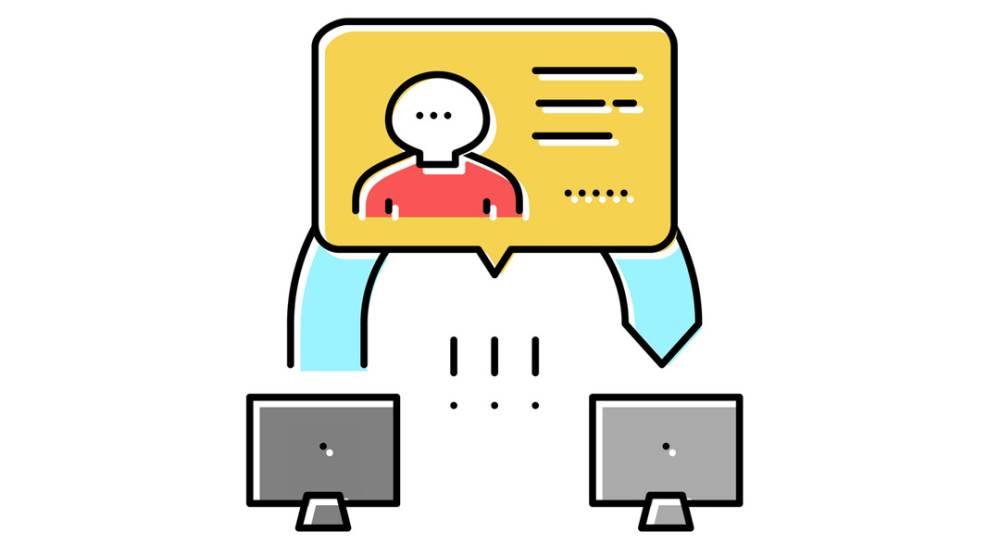
A Man-in-the-Middle (MITM) attack occurs when a hacker secretly intercepts and potentially alters the communication between two parties. This attack can compromise your sensitive data, like passwords, credit card details, or private messages.
How Does a Man-in-the-Middle Attack Work?
- Interception:
The hacker positions themselves between you and the service you're communicating with. This could happen on a public Wi-Fi network or through a compromised website. - Decryption:
Once the hacker intercepts your communication, they can decrypt it (if encryption isn’t used properly), allowing them to read and even modify the data you send or receive. - Data Manipulation:
The attacker might alter the content of your communication, send fraudulent instructions, or inject malicious software into the transmission without you noticing.
Types of Man-in-the-Middle Attacks
- Packet Sniffing:
The attacker captures data packets traveling across the network. They can extract unencrypted sensitive information, like passwords or credit card numbers. - SSL Stripping:
The hacker downgrades an encrypted HTTPS connection to an unencrypted HTTP connection. This makes it easier to intercept your data. - Session Hijacking:
The attacker steals an active session, taking control of your connection after you've logged into an online service, bypassing authentication.
How to Protect Yourself
- Use Secure Connections (HTTPS):
Always look for "https://" in the URL bar. The "S" stands for secure and indicates that your data is encrypted during transmission. - Avoid Public Wi-Fi for Sensitive Transactions:
Public Wi-Fi networks are more vulnerable to MITM attacks. If you need to use one, consider using a VPN to encrypt your connection. - Enable Two-Factor Authentication (2FA):
Adding an extra layer of security makes it harder for attackers to hijack your sessions, even if they intercept your login credentials. - Check for SSL/TLS Certificates:
Ensure the website you're communicating with has a valid SSL/TLS certificate. These certifications guarantee encryption between your browser and the server. - Update Software Regularly:
Make sure your operating system, browsers, and apps are always up-to-date with the latest security patches.
By understanding how MITM attacks work and following these preventive measures, you can significantly reduce the risk of falling victim to this type of cyberattack.