OpenVAS (Open vulnerability assessment System) is one of the most widely used free and open-source vulnerability scanners available today.
It is the community-driven continuation of the original Nessus project (after Nessus went commercial in 2005). Since around 2010, the project has been led and significantly enhanced by Greenbone Networks, the same company that sells the commercial Greenbone Security Manager appliances.
In simple terms: OpenVAS scans computers, servers, web applications, cloud instances, containers, network devices, IoT gadgets, basically anything connected to a network and tells you which known security vulnerabilities (CVEs) exist so you can fix them before attackers exploit them.
Why OpenVAS / Greenbone Still Matters a Lot
1. Completely free, no license fees, no hidden costs.
2. Very up-to-date, Greenbone publishes new vulnerability tests (called NVTs) almost daily, often faster than many commercial scanners.
3. Used by everyone, from home users and homelab enthusiasts, to small businesses, universities, NGOs, penetration testers, bug bounty hunters, and even large enterprises as a secondary/validation scanner.
4. Compliance-friendly, accepted for internal scanning requirements under PCI-DSS, ISO 27001, NIS2, DORA, and similar frameworks.
5. Community/commercial synergy, the community edition is free and powerful, while the enterprise edition paid version has added features, more significant scalability, as well as more extensive support.
Practical Installation & First Scan
Easiest method: Greenbone Community Containers (Docker) - This is the quickest way to get an up-to-date and functional instance of GVM running.
# Pull down and launch the all-in-one container
docker pull greenbone/community-edition
docker run -d -p 8080:9392 --name gvm greenbone/community-edition
# Wait 5 - 15 minutes for the initial vulnerability feed to be synced.
# Open your web browser and go to: http://localhost:8080
# Login: user admin password admin → Immediately reset your password.
Alternative: Kali Linux (most recent versions of kali come pre-installed with GVM)
sudo apt update && sudo apt install -y gvm
sudo gvm-setup
# Follow the instructions on the screen (this will create an admin user account and sync all feeds)
# Access the web interface: https://127.0.0.1:9392
Conducting Your Initial Legitimate Scan (Guidelines)
1. Use your computer and open the scanning web interface for your security scanner using either: http://localhost:8080 or https://[Your IP]:9392.
2. Once logged in you will select Configuration > Targets > Click on the star icon that is for adding a new target.
3. Change the following settings:
a. Enter a Name of "My Home Network"
b. Host field = 192.168.1.0/24 (or your own subnet)
c. Save
4. Now you need to create a scan by selecting Scans > Tasks > Click on the star icon that is for adding a new task.
5. Change the following settings:
a. Name: "Quick Home Scan"
b. Target: Select the one you created in step #2 above.
c. Scan Config: Choose 'Full and fast' (will give balance between speed and depth of scan)
d. Click on Create, then press the Play button to start your scan.
6. Wait for the scan to finish running (for small home networks this will typically take between 10 and 60 minutes depending on how many devices are detected).
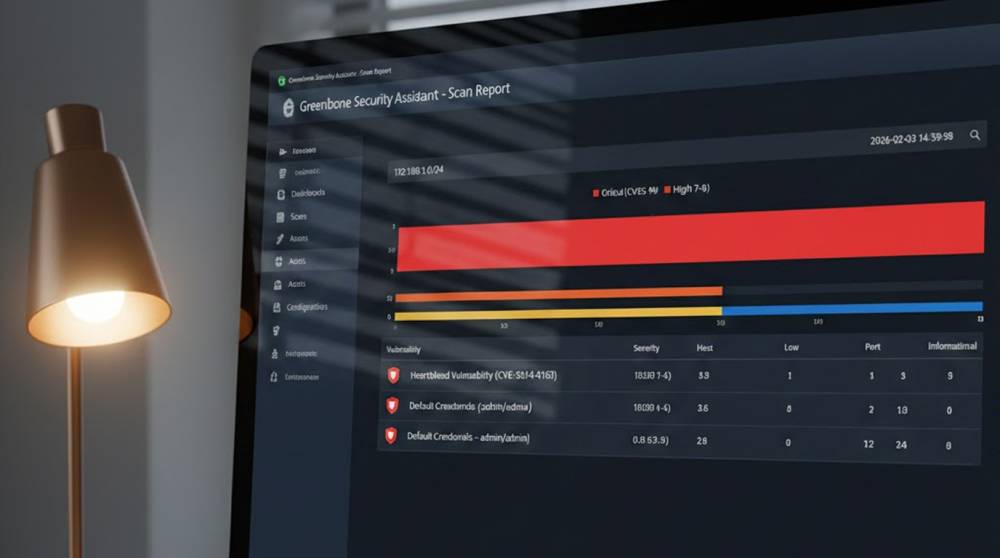
7. Once the scan is complete press Reports to view the results, sort by severity, and address any High and Critical issues (CVSS ≥ 7.0) found first.
Common Everyday Uses of Vulnerability Scanning Tools:
1. A home user with a homelab could discover unpatched NAS (Synology/QNAP), routers, smart TVs, IP cameras, and old Windows/Linux machines before an attacker deploys ransomware successfully against this user.
2. A small business with 10-50 employees can run weekly automated vulnerability scans on all public-facing IPs (website, mail server) and internal servers/workstations.
3. A freelance penetration tester or bug bounty hunter can use OpenVAS as a cheap second scanner to verify/confirm their findings prior to submitting reports to clients or bug bounty programs.
4. An IT team at a school or university could scan the dorms where students live, lab computers, or guest Wi-Fi for compliance and security awareness.
Takeaways
1. OpenVAS / Greenbone Community Edition is the best free self-hosted open source vulnerability scanner available today.
2. The Docker version is by far the easiest way to get started, as it does not require extensive setup time and effort.
3. If you have any servers, NAS, IoT devices, or just want to know what your home network looks like to attackers, run OpenVAS at least once.
4. Always fix High and Critical issues first, those are the ones attackers actually exploit.
5. Combine it with basic habits: keep everything updated, use strong passwords + MFA, keep IoT devices on a separate network.
OpenVAS won’t replace commercial enterprise scanners (Tenable, Qualys, Rapid7) for very large environments, but for individuals, homelabs, small businesses, and budget-conscious teams it remains one of the best free security tools available.