Notepad++
You sit down at your computer. You need to edit a configuration file. You open Notepad++. It has been on your machine for years. Lightweight. Fast. Trustworthy. You never think twice about it.
Now imagine that same tool silently delivered malware to your system.
Between mid-2025 and early 2026, one of the world's most popular text editors became a delivery vehicle for hidden backdoors. The attack did not target the software's code. It targeted something much more clever: the update system itself.
If you use Notepad++ for coding, note-taking, or quick edits, you need to read this.
What Is a Supply Chain Attack and Why Should You Care?
Before we talk about Notepad++ specifically, you need to understand the concept of a supply chain attack.
Most people think malware comes from shady websites or email attachments. That is the old way. The new way is much more dangerous.
A supply chain attack does not trick you into downloading malware. Instead, it compromises the very tools and updates you already trust. You open your favorite software. You click "Update." You expect safety. Instead, the update itself is the weapon.
Why this is terrifying:
1. You do not have to make a mistake to get infected
2. The software looks real because it comes through the official update channel
3. Security software trusts signed updates from legitimate companies
4. The attack happens before your antivirus even sees the file
Notepad++ became a victim of exactly this type of attack.
How Attackers Hijack Software Updates
Software updates work on trust. Your computer asks a server, "Is there a new version?" The server responds with a file. Your computer runs it.
The chain of trust has several weak points:
The server – If attackers break into the server hosting update files, they can replace legitimate updates with malicious ones.
The network – If attackers intercept your internet traffic between you and the update server, they can swap files in transit. This is called a man-in-the-middle attack.
The update mechanism itself – If the software does not properly verify that an update is authentic, attackers can trick it into installing anything.
In the Notepad++ case, attackers exploited multiple weak points in this chain. They compromised infrastructure. They stole credentials. And the update mechanism did not verify the authenticity of what it was downloading with enough rigor.
The Window of Exposure
Security researchers identified that Notepad++ users were at risk for several months during 2025 and early 2026. The exact timeline varies depending on which version you were running.
Here is what matters:
1. If you updated Notepad++ between mid-2025 and February 2026 using the built-in updater, your system could have been exposed
2. Older versions of Notepad++ were more vulnerable than newer ones
3. The risk was not the same for every user during that window
Why not every user? Because sophisticated attackers do not spray malware everywhere. They target specific victims. A high-value government contractor received the malicious update. A student in a different country downloading the same Notepad++ version received the legitimate file.
This is called targeted surgical compromise. The attackers wanted specific organizations, not random individuals. But collateral exposure was still possible.
How the Attack Actually Worked
Let me walk you through the technical steps so you understand what happened under the hood.
Step 1: The Attacker Gains a Foothold
The attackers did not hack Notepad++ directly. They targeted a third-party service that Notepad++ relied on. This is common in supply chain attacks. You do not attack the castle. You attack the bridge leading to the castle.
In this case, the attackers compromised infrastructure used to host or distribute updates. They stole credentials. They found weak points in the hosting environment.
Step 2: The Update Server Is Compromised
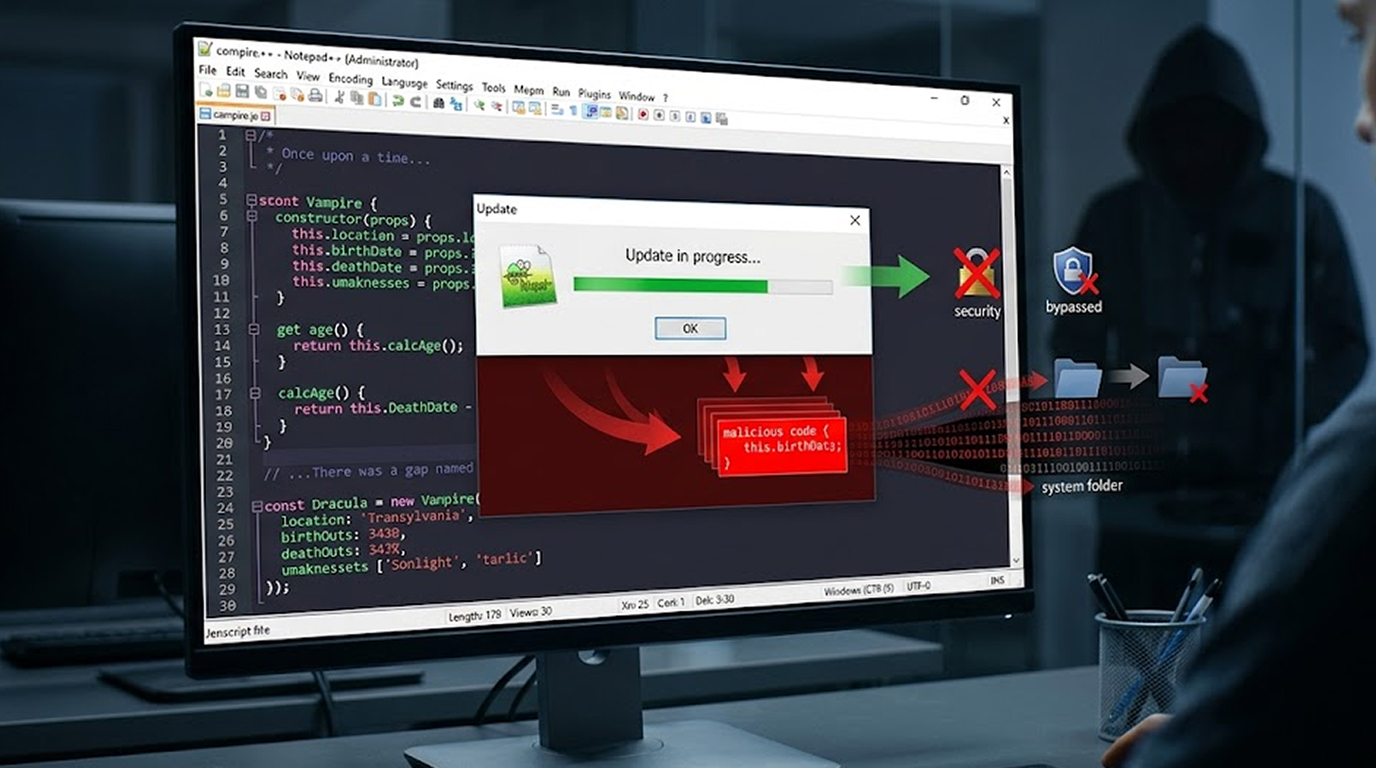
Once inside, the attackers modified the update server's behavior. The Notepad++ update prompt revealed to the server that an update was available and provided a download link; however, rather than provide the update or show it to every user/tester, the update was uniquely determined based on some criteria, including at least your geographic location, and the range of your corporate network.
If you matched the attacker's target list, you received the malicious update. If not, you received the real Notepad++ installer.
Step 3: The Update Mechanism Trusts the Response
Older versions of Notepad++ used an update component that did not properly verify that the update file was authentic. If the server said "This is the update," the software believed it.
There was no cryptographic signature check on the update metadata. There was no verification that the file came from Notepad++ and not an imposter. The attacker could simply change a web address inside the update manifest to point to their own malicious file.
Step 4: The Malicious Installer Runs
When your Notepad++ downloaded and executed the fake update, you were not installing Notepad++ at all. You were installing a backdoor. This backdoor gave attackers remote access to your computer.
The malware would hide itself. It would survive reboots. It would quietly communicate with attacker-controlled servers, waiting for commands.
Step 5: The Attacker Has Control
Once the backdoor was installed, the attacker could:
1. Browse your files
2. Steal your passwords and browser cookies
3. Install additional malware like ransomware
4. Use your computer as a launch point to attack your employer's network
5. Record your keystrokes
6. Take screenshots of your activity
All because you updated a text editor.
Why Notepad++ Specifically?
You might wonder why attackers would target a free text editor instead of something more valuable.
The answer is reach and trust.
Reach: Notepad++ is installed on millions of computers worldwide. It is often one of the first tools developers, system administrators, and IT professionals install on a new machine. Infect the update mechanism, and you have a pipeline into millions of high-value systems.
Trust: Notepad++ has an excellent reputation. It is open source. It has been safe for nearly two decades. Users do not question its updates. They click "Yes" without thinking. That blind trust is exactly what attackers want.
Target demographics: Notepad++ users are disproportionately developers, IT staff, cybersecurity professionals, and system administrators. These are the exact people with access to sensitive corporate networks. Compromise one developer's laptop, and you may compromise the entire company's code repository.
The Weakness in Update Verification: A Technical Flaw
The problem associated with the technical vulnerability is due to a lack of verification when performing the update. When software updates itself, there is a standard best practice: cryptographically sign every update and verify that signature before installing anything. This is like a wax seal on a letter. If the seal is broken, you know not to trust it.
Older versions of Notepad++ did not enforce this verification strictly enough. The update component would download a file and run it with minimal checks. An attacker who could control the server response could essentially tell Notepad++ to download and run anything.
The update manifest the file that tells Notepad++ where to download the new version was not digitally signed. An attacker could modify the web address inside that manifest, and Notepad++ would happily go to the new address and run whatever it found there.
This is the technical equivalent of a GPS that trusts any "reroute" command from any source. You ask for directions to the airport. A stranger shouts "Turn left here." Your GPS listens. You crash.
Who Was at Highest Risk?
Not every Notepad++ user faced the same level of risk.
Highest risk users:
1. Employees of government agencies
2. Defense contractors and military personnel
3. Critical infrastructure workers (energy, water, transportation)
4. Telecommunications company employees
5. Financial services professionals
6. Developers working on sensitive projects
7. IT administrators with access to many systems
Medium risk users:
1. People working for large businesses
2. Freelancers developing applications containing client data
3. Researchers and journalists
4. Any person living in a geopolitical location deemed sensitive
Lowest risk users:
1. Individuals of a household with no valuable data
2. Students utilizing personal devices
3. Users who solely browse the internet
Nonetheless, being classified as low-risk does not preclude risk. In the event of these types of attacks in the supply chain.
Signs Your System May Have Been Compromised
If you used Notepad++ during the vulnerable period, watch for these indicators.
Unexpected network activity:
1. Your firewall alerts about Notepad++ or its update component contacting unknown servers
2. Unusual outbound connections to IP addresses in countries where you do not do business
3. It appears your network activity increases significantly while Notepad++ is idle / unattended
Strange file system behavior:
1. New folders appear in AppData that are not familiar to you
2. Random hex names generate within Temp Folder
3. Legitimate executable processes found outside normal folders (e.g., many instances of "BluetoothService.exe," not found in System32)
Performance issues:
1. Your computer is slow yet you are doing nothing to make it slow
2. There should not be high CPU Usage from an application that does not take a significant amount of CPU Phyiscal RAM memory usage
3. Received strange error messages attempting to open Notepad++
Security software alerts:
1. Your antivirus programs are flagging Notepad++ or components of Notepad++ as a potential risk
2. Windows Defender recently threatened to quarantine Notepad++.
3. Alerts about "sideloading" or "DLL injection" behaviors
If you see any of these, assume compromise until you prove otherwise.
How Notepad++ Fixed the Problem
The developers responded to the incident with a series of security enhancements. Each new version closed another gap.
The first fix (December 2025): Notepad++ added mandatory installer signature verification. This meant that any downloaded update had to be cryptographically signed by the Notepad++ team. An attacker could no longer substitute a random executable.
The second fix (February 2026): The developers realized there was still a gap. The update manifest the instruction file that tells the updater where to download from was still unsigned. An attacker could not replace the installer itself, but they could redirect the updater to a malicious download location. The second fix added XML Digital Signature verification to the manifest file itself. This created what security researchers called a "double-lock."
Additional hardening: The developers also removed certain dynamic linking libraries that had made DLL side-loading attacks easier. They restricted plugin management to only those programs signed with the same certificate as the updater. They moved update hosting to more secure infrastructure, specifically GitHub, which provides additional security controls.
Are You Safe? Find Out Now!
Follow this Plan:
Step 1: Find Out Which Version of Notepad++ You Are Currently Using To find out what version of Notepad++ you are using, go to Help>About.
The following are the results based on your Notepad++ version:
1. If you are using Version 8.9.2 or higher, you are completely patched and fully protected with the dual lock.
2. If you are using Version 8.8.9 to 8.9.1, you have partial protection (installation confirmation) but don’t have full protection. Upgrade immediately.
3. If you are using Version 8.8.8 or lower, you were exposed during the window of attack, and you will need to do more checking.
Step 2: Get Updated Right Away!
Visit either the official Notepad++ website or the GitHub repository and download NoPad++ (v8.9.2 or higher) from there. Install it and do not use the built-in updater; perform a manual download for your first update.
Step 3: Run an Entirely System Scan
Have your current antivirus software perform a complete system scan. You might also consider running a second opinion scanner, such as Malwarebytes or Windows Defender Offline Scan.
Step 4: Check For Specific Indicators
Look for the following files/folders that may be suspicious:
1. Volume Name = Bluetooth (Directory in %AppData%)
2. Bluetooth Service.exe Process
3. Unexpected Volume Names in %Temp% Directory: AutoUpgrade.exe; Update.exe
4. Unexpected Outbound Connections to Unknown Servers.
Step 5: Change Your Credentials If You Suspect Compromise
If you see any signs of compromise, assume the intruder has control of everything on that computer. Change every single store password in your web browser. Change every API Key, and generate new SSH Keys. Report your suspicions to your employer's IT Security Team.
What This Means for the Future of Software Updates
The Notepad++ incident is not an isolated event. It is a warning.
Every software update is a potential attack vector. The more popular the software, the more valuable its update system becomes to attackers.
Open source software is not automatically safer.
Open source code can be audited, but the infrastructure that delivers that code is often less secure than commercial alternatives because it relies on volunteer effort and donated hosting.
Trust must be earned continuously. A decade of safe updates does not guarantee tomorrow's update is safe. Software vendors must implement defense-in-depth around their update infrastructure.
As a user, you cannot eliminate supply chain risk completely. But you can reduce it:
1. Download updates manually from official sources when possible
2. Verify digital signatures before installing if the software provides that option
3. Use software that publishes hashes or signatures you can check
4. Keep software updated (ironically, to get security fixes for update mechanisms)
Conclusion
The Notepad++ backdoor supply chain attack is a masterclass in modern cyber threats. The attackers did not need to trick you into running a suspicious file. There was no necessity for them to use a zero-day exploit against the software itself. Instead they exploited something that has been trusted by you at all times.
On the bright side, there has been identification and remediation of this issue. Therefore, Notepad++ users running current versions of Notepad++ should not be vulnerable to this current attack vector.
The larger lesson here that you can take away from this experience is: trust your software but check for yourself whether the new versions work correctly. Ask whether your tools implement cryptographic verification. Pay attention to security advisories from the software you use every day. And never assume that because something has always been safe, it always will be.
Your text editor is not your enemy. But in a supply chain attack, it can become a weapon. Stay vigilant.
FAQ Section
1. Is Notepad++ still secure for usage today?
Notepad++ is still deemed a secure tool for usage provided the user has an updated copy (8.9.x or greater). There are significant improvements introduced to ensure the integrity of the software being installed and/or updated through the complete cryptographic verification of both the (Installer) and (Update) manifest files. It should be noted that any previous versions of Notepad++ should be updated immediately via the official Notepad++ website or GitHub page.
2. How exactly did the Notepad++ backdoor supply chain attack work?
The Notepad++ backdoor supply chain attack worked by attacking the update infrastructure that hosted Notepad++ updates (relocated) so that the update server was redirecting to local malware rather than to the legitimate Notepad++ installer file. Because there was a failure to properly validate the authenticity of an update with earlier versions of Notepad++, the user would be unaware that they were downloading malware instead of the actual Notepad++ update.
3. Had I not used the built-in updater, might I still have been impacted?
You could've been affected if you used to download the official website of the program for updates. Some users manually uploaded updates to their computers only after finding a version of the program; some have had their computers accessed through their Internet browsers. Using manual download via the update screens is safer than using automated updates.
Since you could have originally downloaded the program file directly from the official website, you should check which version of the program you have on your system, then perform a full system scan using an up-to-date antivirus program.
4. How can I verify if I've been compromised by an attacker?
To verify whether you've been compromised by an attacker, first, update to the latest version of Notepad++ (version 8.9.2), then run a comprehensive scan using your antivirus software. Look for unusual files or folders inside your AppData> directory, such as a Bluetooth folder, as well as any instances of BluetoothService.exe that aren't familiar. If you have any doubts regarding whether you've been compromised, consider rotating your passwords and notifying your IT department.
5. Can supply chain attacks like this happen to other software?
Yes. This is exactly why supply chain attacks are considered one of the most dangerous modern threats. Any software with automatic updates is a potential vector. The only defense is cryptographic verification at every step and even that is only as secure as the key management around those signatures.