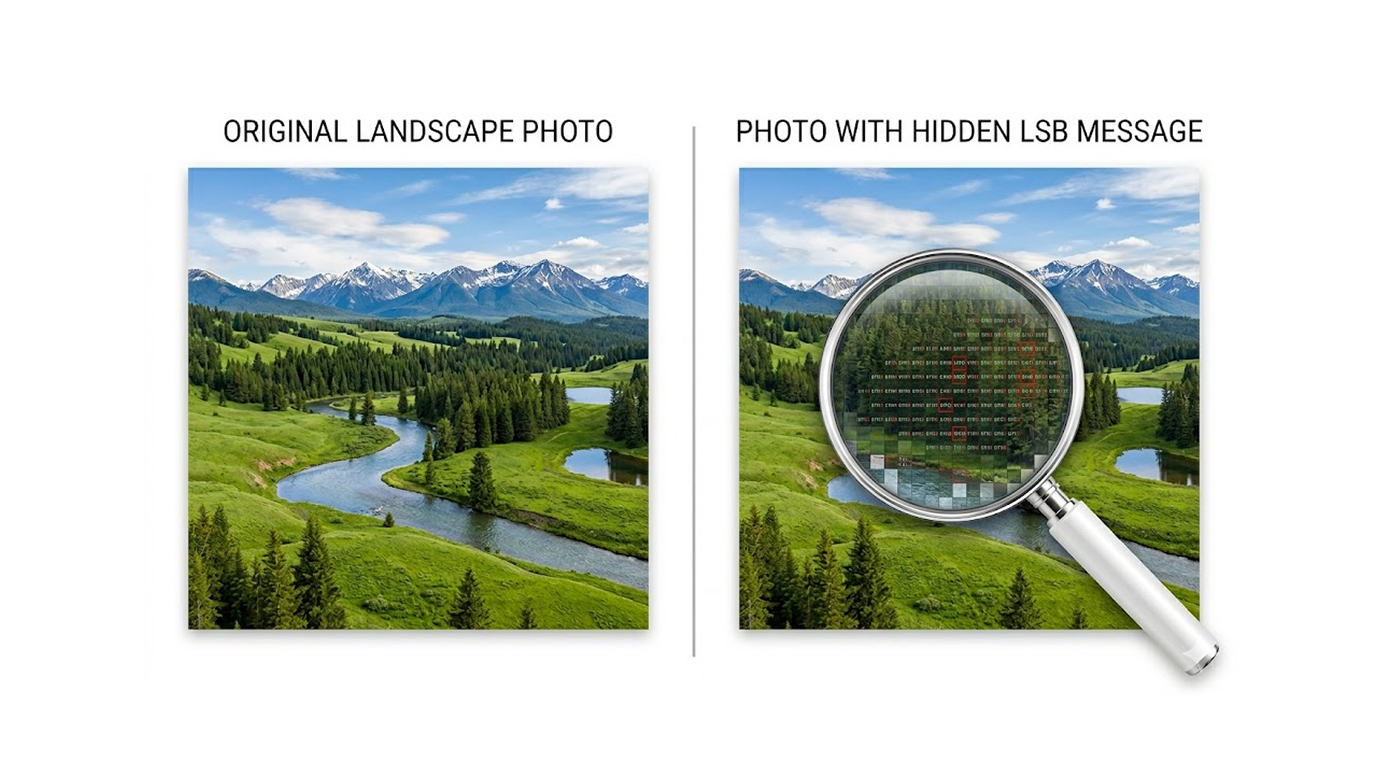
Steganography is a technique that hides an image/data in such a way that it appears innocent to an outside observer. Unlike encryption, where an encrypted message appears like gibberish, steganography hides the message within the same medium (image) as the victim would see it. Hence, to the naked eye and average observer the images would appear normal.
Today, steganography is widely used by journalists, activists, security researchers and unfortunately, cybercriminals, for covert communication.
How Image Steganography Works
The basic concept is straightforward; an image has a lot more to offer than we as people can actually perceive. For instance, if you take an image, the number of pixels in that photograph is millions, and each pixel is made up of three color channels (Red, Green, and Blue) with 256 levels from 0 to 255, and the least significant bit (LSB) of those three color channels can be changed without an observer's ability to see it.
Therefore, you can steer a large number of hidden messages using the LSB of the color values of millions of pixels.
Simple analogy: Consider a pixel's color value to be a sentence; if you change the last letter of the sentence, it still reads the same; however, you can use that last letter of the sentence to build up an invisible message over a large number of pixels.
The Most Popular Practical Techniques in 2026
1. The First Method for Steganography (LSB Substitution - The Most Common Method of Steganography)
a. This technique uses the least significant (finest) bit of each pixel from each color channel to embed bits of the secret message.
b. Example: A 1920 × 1080 pixel image (Full HD) can hold approximately 800kb of data with almost no discernible changes to the image.
2. This is an LSB Substitution Method with Randomization
We can add extra complexity to these types of steganography techniques by using a password or key that will determine which pixels will be altered, making it more difficult to detect the alterations.
3. Transform Domain Methods (Advanced Techniques)
Using the frequency domain (DCT or wavelet transforms) for hiding information/embedding and this technique has a greater resistance to the effects of compression or resizing
4. Palette Based Steganography (GIF or PNG)
We modify the color palette of an indexed image rather than changing pixel data.
Practical Tools You Can Use Today
Free & Easy Tools:
1. Steghide (Command Line – Windows/Linux/macOS)
2. Stegano (Python Library – Will work well for scripting)
3. Steg (Web Application – Useful for quickly checking)
4. OpenStego (Graphical Application – Very User Friendly)
Command Example Using Steghide
To embed a document within an image:
Command: steghide embed -cf cover.jpg -ef secret.txt -p “yourpassword”
To extract the document from the image:
Command: steghide extract -sf cover.jpg -p “yourpassword”
Real-Life Examples
Example 1: Simple text embedded into an image
Image of Cat (cat.jpg) → Short Message: “Meeting @ 3:00pm – Bring Files” (Embedded into Image). Image appears exactly like original photo (when viewed without looking for embedded info).
Example 2: Embedding a Small Document
PDF of sensitive notes embedded in vacation photo. Results, overall size only increases and visual quality is not affected.
Example 3: Bad Guys, Malicious Intentions
Bad Guy hides script / stolen password in meme image and shares with others through social networking or email. Others use correct password to extract information payload.
Simple Exercise You Can Try Right Now
1. Download a photo from the internet and save it on your computer's hard drive as cover.jpg (example: portrait or landscape photo)
2. Create a document with text on it but save it as secret.txt
3. Obtain a copy of Steghide to put a hidden message inside an image, available in various ways such as download from normal repo's or go directly to www.steghide.com and download from there.
4. Run:
steghide embed -cf cover.jpg -ef secret.txt -p "test123"
5. Visually compare the original photograph to the modified version; they should look almost identical.
6. Extract the message to verify:
steghide extract -sf cover.jpg -p "test123"
Consider repeating this entire exercise using many different photographs and various amounts of concealed data. You will see just how much data can be concealed with very little degradation in image quality.
Additional Important Points
1. Steganography will not encrypt secret messages; it merely conceals them. Always encrypt any sensitive data (i.e., with a program such as VeraCrypt or 7-Zip utilizing the AES standard) before embedding them.
2. Robust steganography methods are extremely difficult to detect without previously knowing both the specific method used and having the appropriate password. However, there are powerful forensic tools capable of sometimes locating statistical anomalies with regard to steganography files.
When used properly, image-based steganography represents an effective means of communication. Knowing how to use steganography will help you better protect your communication and let you know when steganography may have been misused.