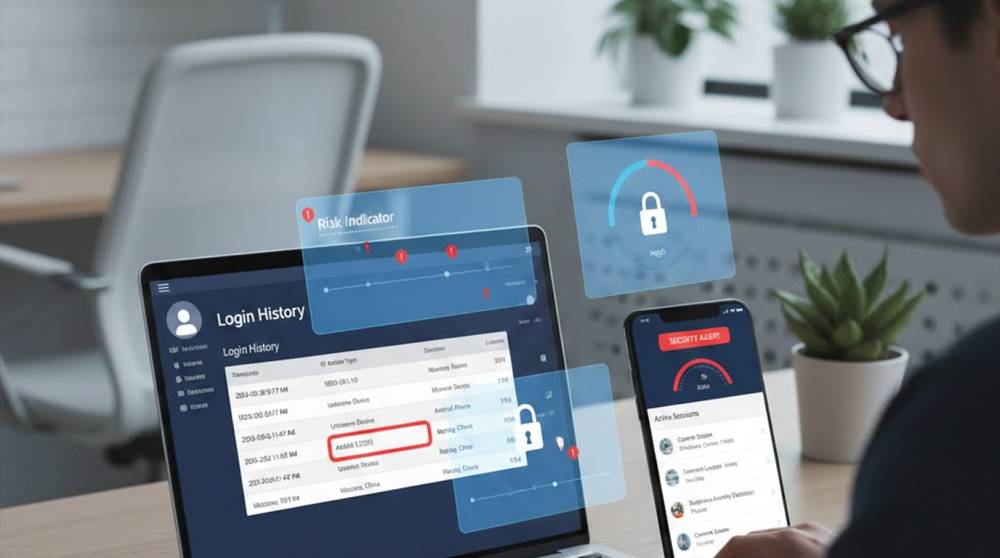
Your social media accounts contain both your personal and professional information, you must be aware of when someone has accessed your account and who they were in order to protect your privacy, security, and peace of mind. One of the most efficient ways to identify whether someone has potentially engaged in nefarious activities is through logging into your social media account history.
Logging into your account History Conditions
1. To detect unauthorized access quickly.
2. To secure your personal/business information.
3. To maintain the ability to regulate all connected devices/apps.
For executive management or members of the Board, logging into your Social Media account history is not just for personal privacy; it can also be part of good governance. A single breach of your social media account can have a negative impact on your Company's reputation, the trust of your Clients, and communication internally with Employees and Executives.
How to Access Login History
Most major platforms provide a way to view recent logins. Here’s a practical guide for some common social networks:
Facebook
1. Access Settings, then select Privacy and then Settings followed by Security and Login.
2. Check Where Are You Logged In.
3. Identify unfamiliar locations, devices or times.
4. If you see anything unusual in the logged in sessions you can Log Out from All logged in sessions AND Then Reset your Password if required.
Instagram
1. Go to Your Settings > Security > Login Activity
2. Look through all the devices listed and their location.
3. For any device you do not recognize you can tap the device listed and view more detail or choose to Log Out.
Twitter/X
1. In Settings and Privacy, select Security and Account Access, then Apps and Sessions.
2. Look for any active sessions you do not recognize, then remove app session access for those apps.
LinkedIn
1. Access Settings > Account > Where Are You Logged In.
2. Remove any active sessions on devices/accounts you do not recognize.
Indicators of Suspicious Activity
Watch for:
1. Logins that come from locations not associated with the user
2. Unrecognized devices or other forms of access
3. Logins that were generated out-of-order (i.e., logged into the account outside of "normal" hours)
4. Alerts generated by the logging platform about unknown users trying to access their account
One unfamiliar login may not necessarily represent a risk (e.g., the person logged in from a VPN), but confirmation of the source of the unknown login is advised.
In The Event of Noticing an Activity That May Be Under Unusual Attention, These Are The First Four Things You Should Do:
1. Create New Passwords.
2. Use 2FM (Two Factor Auth).
3. Review All Applications You Have Access and Remove Access to the Ones You Do Not Use.
4. Monitor Your Accounts For Several Weeks to Ensure There Have Not Been Any Repeated Unusual Logins."
If These Types of Behaviors Occur After Credentials Have Been Stolen, Notify All Those You Representation That Have Suffered a Security Breach.
Here is an example: An Executive in Marketing Noticed on LinkedIn Someone from Eastern Europe Logged into Her Account when She Was in New York City. She Quickly Logged Out of The Link, Created a New Password, and Established Twin Factor Authenticate (2FA). Even Though There Was No Notable Information Accessed, The 2FA Would Stop Future Losses.

If You Have a Business, Here's How to Protect Yourself:
1. Regularly Inspect Your Account by Monthly Log.
2. Create/Use a Strong Password and Create 2FA.
3. Be Aware That Most Suspicious Activity is Not a Catastrophe.
4. If You Follow Simple Steps and Are Consistent, You Will Be Able to Protect Yourself From Attack.