There are links all over your emails, social media networks, and even in instant messages from your coworkers. Most links are not a threat; however, a single malicious link can install malware on your computer, steal your personal information, or redirect you to a phishing website.
To use an analogy, think of links as "candy" that you find on the sidewalk. Most of the sweets you find would be safe to eat; however, on occasion one might have been tampered with in some way.
Here are tips to help you identify potentially dangerous links:
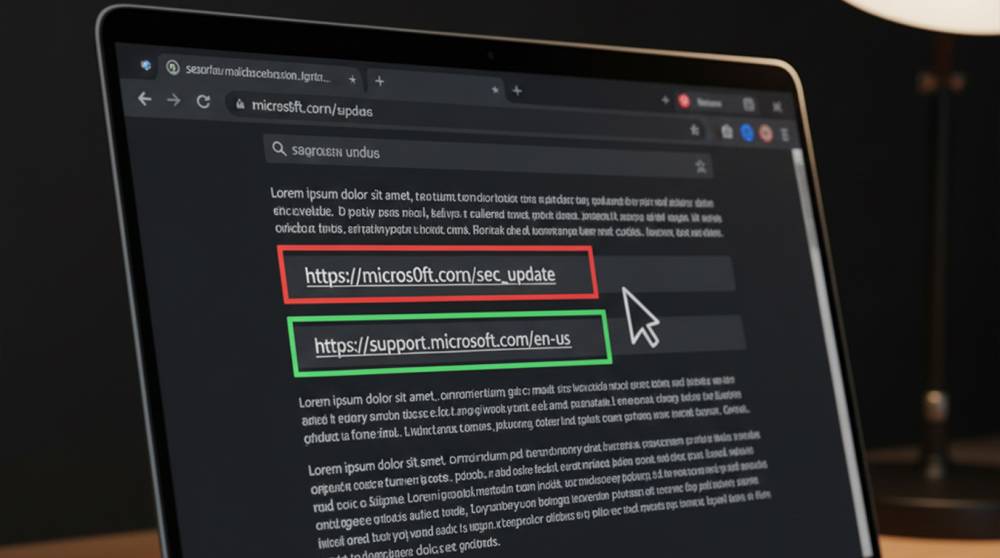
1. Before you click on a link, hover over it. If you are using a desktop computer, you will see the actual URL of the website you will be visiting. If this URL appears strange, has extra characters, or contains misspellings, it is best not to click on the link.
2. When checking the domain of a website, always be extremely careful. Hackers are known to use typo-squatting strategies. For example, they will register paypa1.com instead of paypal.com, and amaz0n.com instead of amazon.com. A small difference such as "1" or "0" may not seem like much, but even a small difference can trick anyone into clicking on a malicious link.
3. Use a link scanning service to have the URL scanned for any known threats. Websites such as VirusTotal, URLVoid, and Google Safe Browsing allow users to paste URLs into their search engines to check for potential threats.
4. In general, "https://" is not a guarantee of safety; however, if a link does not have "https://" then that should be taken as a warning sign. Most often, a malicious site will not have an SSL certificate/s.
5. If you receive a shortened URL using bit.ly or tinyurl.com, it is beneficial to also check the destination of the shortened URL prior to visiting that page. You can do this by visiting a site like CheckShortURL.com.
6. Trust Your Instincts, If the link you got was sent from a stranger, was an urgent message, or if the offer sounds too good to be true, think twice.
Bonus Tip - Test Links in a Safe Environment
To continue looking into the link, please take the following steps.
1. Open the link on a Virtual Machine or isolated Sandbox.
2. Use Browser Extensions that automatically flag Suspicious Links.
3. Keep your Antivirus Software updated, it will block Malicious Downloads if you click on them by accident.
Example Of Trusting Your Instincts In The Real World
An employee received a Slack message saying "Client Report." On the surface, the URL looked fine at first glance, but when hovering over the URL, it showed the URL was report-client-paypa1.com. The employee scanned the URL in VirusTotal, it turned out to be a phishing site. Because the employee thought twice before clicking on the URL they didn't fall victim to it.
Verifying links is not a sign of paranoia; it's a way of protecting yourself from something that could happen to you. Taking a few seconds to be cautious can prevent hours of clean-up.
If you have an email asking you to click on something and you are uncertain about it, hover, investigate the email make a decision, and if you feel uncomfortable, do not click.