Most people worry about stolen files or hacked accounts.
Very few worry about their camera or microphone.
That is exactly why these are abused.
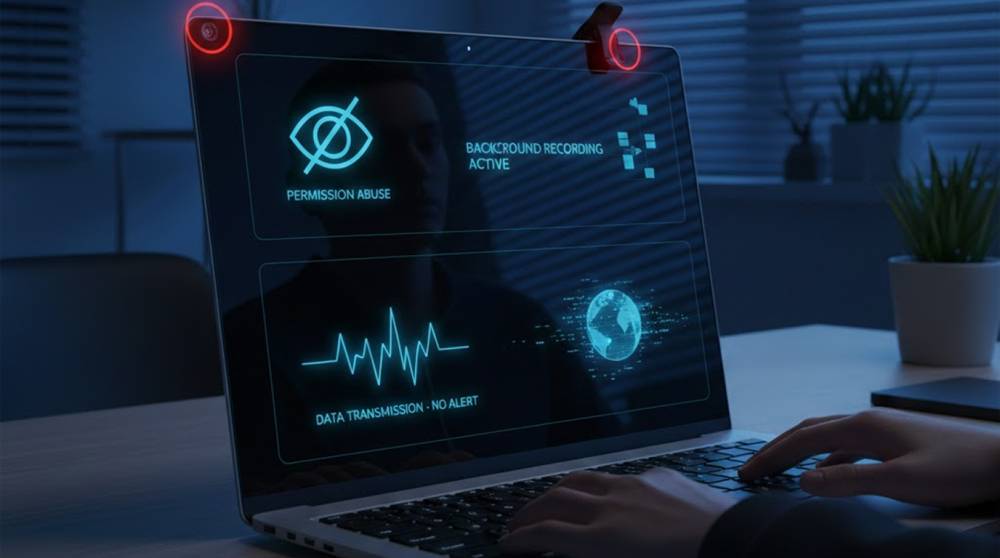
When a camera or mic is compromised, there is usually no warning, no pop ups, and no visible damage. Life continues as normal.
How Webcam and Microphone Abuse Actually Happens
This rarely starts with someone “hacking” a device directly.
More common paths include:
1. Installing a fake or modified app
2. Allowing permissions without reading them
3. Clicking a trusted-looking link
4. Using work devices for personal software
5. Browser extensions asking for too much access
Once permission is granted, abuse does not look suspicious.
Real Example: The Camera That Never Turned On
In multiple investigations:
1. The webcam light never activated
2. No video software appeared open
3. The user noticed nothing unusual
Yet audio was being captured quietly in the background.
Why?
Because microphones can be accessed without any visible indicator on many systems.
Real Example: Meetings That Were “Overheard”
In corporate cases:
1. A meeting ended
2. The laptop lid stayed open
3. A background process continued recording
Sensitive discussions were captured without anyone realizing it.
No malware alert.
No system warning.
What Attackers Want From Cameras and Microphones
This is not about watching people for entertainment.
Common goals include:
1. Recording credentials spoken out loud
2. Capturing confidential conversations
3. Learning routines and habits
4. Gathering blackmail material
5. Monitoring business decisions
Audio is often more valuable than video.
Indicators of Potential Issues
Always look for signs your device may be compromised. Here is a list of indicators that would not indicate an obvious compromise, but would indicate potential issues.
1. You see the microphone icon even though you haven’t done anything to activate it.
2. Camera permissions are randomly reset.
3. Your battery is draining faster than usual.
4. Your fan kicks on when your device is inactive.
5. Applications are requesting your camera access that doesn’t seem necessary.
None of these indicators alone proves abuse, but when you add them up, they become significant.
Common Tools Used to Abuse Cameras and Mics
These are not advanced hacking tools.
They are often ordinary software used the wrong way.
1. Remote Access Software
Tools meant for support are abused for spying:
1. Remote desktop tools
2. Screen sharing apps
3. “Helpdesk” utilities
If installed quietly, they can access mic and camera.
2. Browser Extensions
Some extensions request:
1. Microphone access
2. Camera access
3. Always on permissions
Once allowed, they rarely draw attention again.
3. Modified Mobile Apps
On mobile devices, uses of harmful applications can occur from three primary methodologies or perspectives:
1. Replicated applications
2. Downloading an app through an unauthorized means
3. Applications requesting permission that relates to none of their functions.
For example, a flashlight needs no access to your microphone.
Legitimate Tools That Help You Detect Abuse
These are everyday tools, not security software.
Built In System Indicators
Most systems now show indicators when mic or camera is active:
1. Windows: microphone and camera icons in the taskbar
2. macOS: orange (mic) and green (camera) dots
3. Mobile phones: status bar indicators
If these appear unexpectedly, stop and investigate.
Privacy Permission Settings
Regularly review:
1. Which apps can use your microphone
2. Which apps can use your camera
3. Which apps can access them “always”
Remove access from anything unnecessary.
Device Manager / App Lists
Look for:
1. Software you do not recognize
2. Tools you don’t remember installing
3. Old remote access tools no longer needed
Unused software creates silent risk.
Why Antivirus Often Doesn’t Help
Many camera and microphone abuses involve:
1. Legitimate software
2. Approved permissions
3. Signed applications
From a security tool’s point of view, nothing is broken.
The risk is misuse, not malware.
Simple Habits That Reduce Risk
These habits stop most abuse:
1. Close laptops during sensitive discussions
2. Use physical camera covers
3. Disable mic access when not needed
4. Avoid installing “convenience” apps
5. Question permission requests
Low effort. High impact.
What This Means for Everyday Users
Camera and microphone abuse is quiet by design.
It succeeds because:
1. Nothing crashes
2. Nothing looks wrong
3. Life feels normal
Awareness, not fear, is the real defense.
Key Takeaways
1. Webcam and mic abuse is usually permission-based
2. Most incidents leave no obvious signs
3. Audio is often the real target
4. Built in system indicators matter
5. Reducing permissions reduces risk
If a device can listen, someone may be listening.