Security teams block millions of phishing emails every year.
Most are obvious: bad grammar, weird senders, urgent nonsense.
The messages that actually work are quiet.
They don’t scare people.
They fit into normal workday routines.
What “Effective” Phishing Really Looks Like
Successful phishing doesn’t ask users to do something unusual.
It asks them to do something familiar.
The best messages answer one question:
“Would this feel normal at 10:37 AM on a Tuesday?”
If the answer is yes, the message has a chance.
The Trick Called Looks Like Internal Email
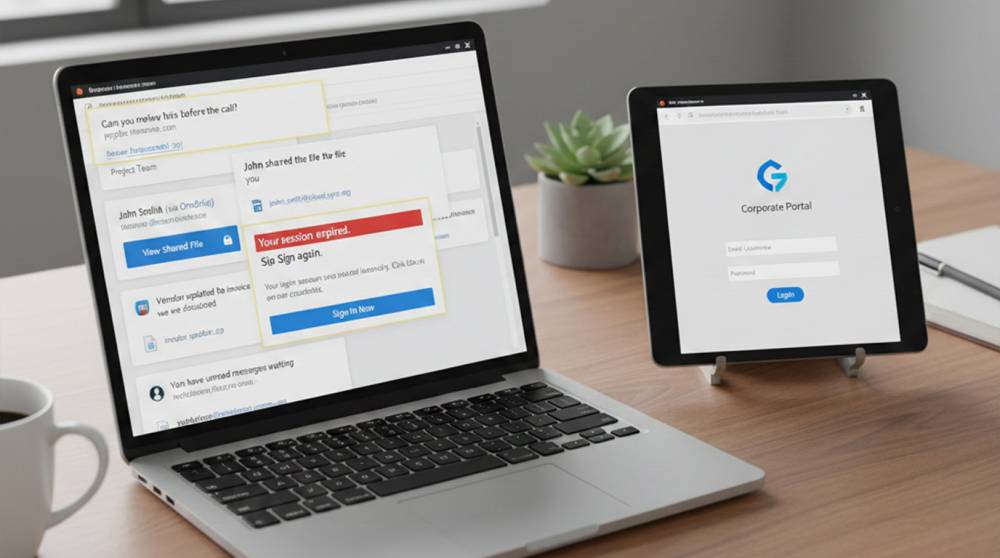
Example 1: Quick Review before Call
Email contents:
Can you please review before the call?
1. No greeting
2. No signature
3. No urgency
4. Sent minutes before the actual meeting
Why it Worked
People were waiting for the telephone conference.
The email arrived when they were busy working.
Steps Taken:
1. One click
2. Fake document preview
3. Fake login prompt (similar to Internal SSO)
4. Capture your credentials

Scams involved in the distribution of files/documents:
Example 2: Fake File Share Notification
Email Text: "John shared a file with you."
1. There's no attachment
2. The link appears to be SharePoint
3. The sender name matches a real employee.
Why it worked:
It was a routine task to receive a file-sharing notification, so people didn't even look before they clicked.
The logs included:
1. A normal email delivery
2. Access to the website via a look-a-like domain in a browser
3. An immediate login attempt
4. Successful authentication from a new IP address.

Password and Session Messages That Don’t Panic
Example 3: Session Expired
Email text:
"Your session has expired. To continue, please log back into your account."
Why the Message Worked:
Session expirations occur on an ongoing basis and represent NO THREAT To The User. The message does not contain any countdowns or dire warnings, just minor inconvenience.
Potential Dangers:
1. The login page for the victim perfectly matched the org's Single Sign-On.
2. The MFA prompt was present.
3. The victim entered the username/password along with the MFA.

Messages That Reference Real Context
Example 4: Invoice Update
Email text:
"The vendor has updated the invoice; please let me know if this will work for you."
How the email was effective
1. The email solicited a response, rather than a click through.
2. The email references an actual transaction that took place within the business.
3. The reply from the recipient initiated a dialogue.
Following the recipient's email reply, the cyberattacker's next message contained a link, which he called "Secure Link."

Internal Tool Alert (Slack / Teams)
Example 5: Collaboration Alert
Email text:
"You have unread messages."
What worked well:
1. Matches typical usage of Slack/Teams
2. Did not contain any attachments
3. Appears to be sent automatically
Follow-up Action:
1. Fake login page for Slack; employee username/password captured
2. Used Slack for sending instant messages to other employees.

Why These Messages Matter
None of these messages were clever.
They were accurate and context-aware.
They matched:
1. Timing
2. Tone
3. Tools employees already use
4. Normal business flow
That’s why they succeeded.
What These Messages Look Like in Logs
1. Legitimate email delivery
2. Normal link clicks
3. Valid credential submissions
4. Successful logins afterward
The first real signal appears after the click.
Practical Suggestions for Detection
1. After receiving an email, track all of your logins
2. Close watch on all new sessions established from an unusual geographic location.
3. Comparing click events with corresponding entry logs
4. Generating alerts whenever credentials are used in an unusual fashion, such as repeated attempts to log in unsuccessfully.
5. Evaluating sequences to determine whether they are uniquely identifiable as not following the expected workflow of the individual user.
The phishing message itself is not the issue; however, the behavior that follows is!
Analogy
Good phishing is like a fake meeting invite:
1. On the calendar
2. At the right time
3. From the right person
You don’t question it.
You join.
Phishing messages that work don’t feel dangerous, they feel ordinary, they exploit routine, trust, and small human habits.
Defending against them means watching behavior, not just inboxes