What if we told you… that the Bad “USB” attack could be performed… without the “USB” element of it, purely via Bluetooth, with no catch?
Gentledudes and dudettes—thanks to the people behind the Xtreme Custom firmware for the Flipper Zero that have breathed life into this officially Ultra-Dope™ concept—the realm of the badUSB (or BadUSB, or USB Rubber Ducky) has gone through an absolutely revolutionary paradigm shift from this happening. We hope you realize how cool this is! The badUSB attack, over Bluetooth, without USB, without any external GPIO modules, right from just the Flipper Zero!
Step 1: Install the ‘Xtreme’ Custom Firmware
If you think the stock Flipper Zero firmware is cool, do you even cool, bro?
Install ClaraCrazy’s Xtreme firmware. It has some next-level features, control, and customization with highly-optimized code compared to other major custom firmwares out there. This is the only custom firmware at the moment with badUSB over Bluetooth (called BadKB now).
Step 2: Usage
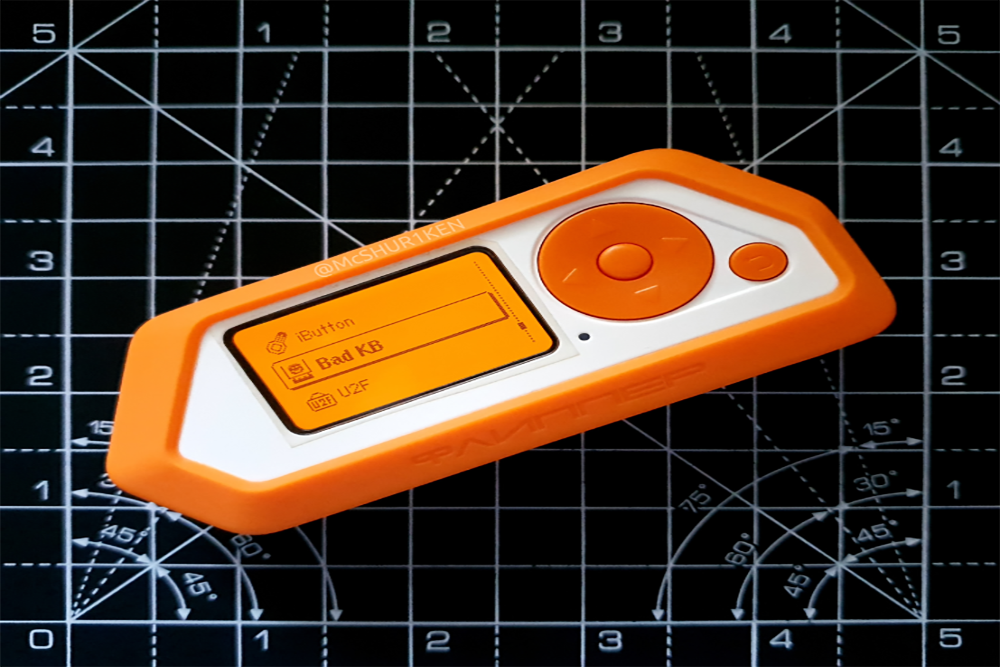
Open the “Bad KB” application on your Flipper Zero. This used to be “Bad USB” previously.

Next, select any saved badUSB payload to test. Make sure this payload is relatively harmless and you know what you are doing. Once selected, you should see a screen like below.

Here, navigate to the “Config” page by pressing left on the D-pad. Notice something different? You can now select between “BT” and “USB” for the BadKB attack!

As soon as you switch to the “BT” option, the Flipper Zero starts broadcasting itself to other devices as a Bluetooth keyboard.
You can even change the broadcasted name by selecting the “BT device name” option. Just imagine spoofing a Bluetooth “speaker” at a party with a name such as…


All that’s left now, is to pair the Flipper Zero with the “victim” machine via Bluetooth, which, surprisingly, has no verification mechanism. Just one click, and you’re paired!

Now, the Flipper Zero, you’ll notice the payload screen has changed, and is ready to execute. Press the center button on the D-pad to execute the payload on the connected device.


Remember to use relatively harmless payloads while testing on your machine(s). A Rick Roll’s far less embarrassing than losing half your file system to a cute little dolphin-themed device!