In an age where cyberattacks are becoming increasingly common, relying on a password alone to protect your accounts is no longer sufficient. An Authenticator App offers a highly effective solution by adding an extra layer of security to your online accounts through two-factor authentication (2FA).
What is an Authenticator App?
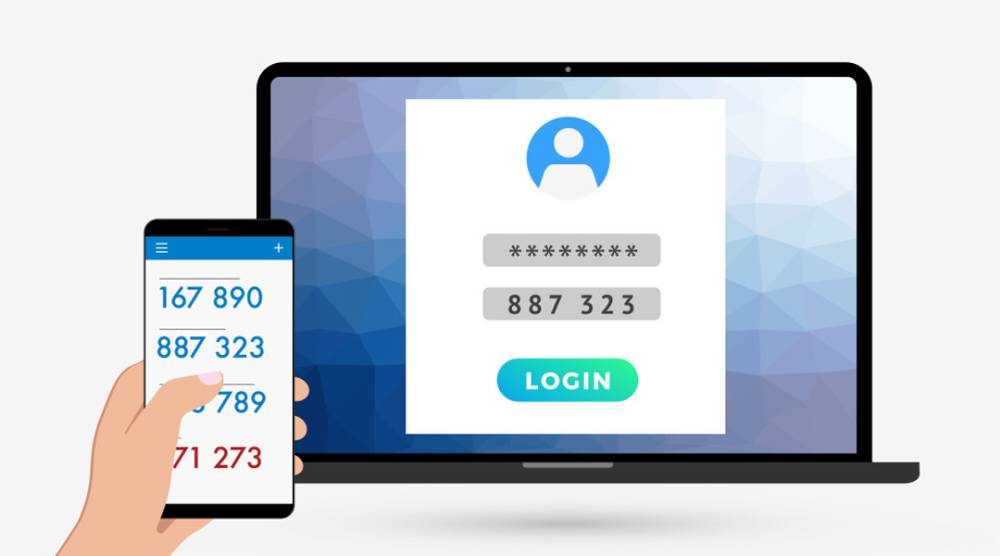
An authenticator app generates temporary, time-based codes that you need to enter alongside your password when logging into an account. Unlike text message-based verification, which can be intercepted, authenticator apps run directly on your device, making them more secure.
These apps work offline, meaning they don't rely on an internet connection or mobile signal, and the code typically refreshes every 30 seconds, making it difficult for hackers to access.
How Does an Authenticator App Work?
The process is simple:
- Set Up Your Account: First, you link the authenticator app to your account by scanning a QR code or entering a setup key.
- Get the Code: When logging in, you enter your password and are prompted to enter a code generated by the app.
- Login Complete: Once the correct code is entered, you gain access to your account.
Benefits of Using an Authenticator App
- Stronger Security: Because the codes are generated on your device and refresh frequently, it's difficult for attackers to guess or steal them.
- Works Offline: Unlike SMS-based codes, which can be delayed or intercepted, authenticator apps function offline and provide codes immediately.
- Supports Multiple Accounts: Many authenticator apps allow you to secure multiple accounts across different platforms, from social media to banking.
Popular Authenticator Apps
Some widely used authenticator apps include:
Google Authenticator
Microsoft Authenticator
Authy
LastPass Authenticator
Each of these apps offers varying features, but they all provide the essential function of securing your accounts with time-based one-time passwords (TOTP).
Why You Should Switch to an Authenticator App
Authenticator apps provide a robust defense against common cyberattacks, such as phishing and SIM swapping, which can compromise SMS-based two-factor authentication. Using an authenticator app significantly reduces the likelihood of unauthorized access to your accounts, making them indispensable in today’s digital world.