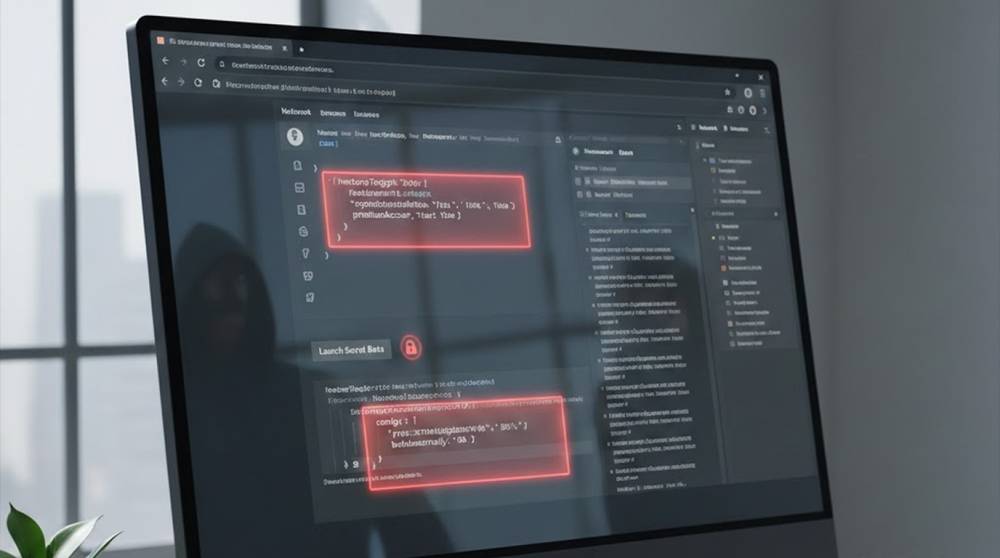
Feature flags are meant to control rollout.
In practice, many are shipped directly to the browser.
That makes them visible, editable, and sometimes powerful.
Attackers do not need exploits here.
They just read what the frontend already exposes.
What “Exposed” Really Means
An exposed feature flag usually means:
1. Flags are sent to the client as JSON
2. Logic enforcement happens in JavaScript
3. Backend trusts the client’s state
4. Disabled features still exist in production
The UI hides them. The code does not.
Common Real-World Scenarios
It is common to see the following scenarios repeatedly during assessments
1. Admin features are hidden behind a flag
2. Payment options are disabled only through the UI
3. Beta endpoints are protected by flags
4. Security checks are toggled client-side
If there is no enforcement by the backend itself, then the flag is merely a suggestion.
Where Feature Flags Leak From
1. JavaScript Bundles
Many modern applications embed the flags themselves into JavaScript directly.
Example found in production:
window.__FEATURE_FLAGS__ = {
enableAdminPanel: false,
bypassPaymentCheck: false,
internalDebug: true
}
All the data in this context is not secured.
Thus this data can be accessed and read by anyone.
2. API Responses
Flags are often returned from config endpoints.
Example:
GET /api/config
{
"features": {
"advancedExport": false,
"newCheckout": false,
"staffMode": true
}
}
The browser receives everything.
Only the UI decides what to show.
3. Local Storage and Cookies
Certain frameworks have the ability to save local feature flags in their local cache:
localStorage.getItem("feature_flags")
Attackers can modify this instantly.
Example of exploiting the code:
if (flags.enableAdminPanel) {
showAdminUI();
}
An attacker can override it.
Browser Console Abuse
window.__FEATURE_FLAGS__.enableAdminPanel = true
location.reload()
If the backend does not verify role or permission, access is granted.
Techniques for retrieving exposed flags:
There are many basic techniques (not very innovative) to retrieve feature flags using tools available in the web browser:
1. The Network tab in DevTools provides information on the configuration endpoints for fetching feature flags
2. Using the Sources tab in DevTools allows you to view the JavaScript file bundles including variable definitions for feature flags
3. Using DevTools to find localStorage items will reveal the feature flags that have been set for the application.
These techniques, combined, will catch the majority of exposed flags.
Burp Suite
Intercept responses and inspect feature objects.
Look for:
1. Flags named admin, debug, beta, internal
2. Flags affecting authorization or payments
Example filter:
"feature" OR "flag" OR "enable"
curl / httpie
Many config endpoints are public.
curl https://target.com/api/config
If no auth is required, assume exposure.
Examples of Dangerous Flag Patterns Found in Real Life
Admin UI Missing Backend Validation
if (flags.isAdmin) {
fetch("/api/admin/users")
}
If the backend of /api/admin/users has no authentication enforcement, it will be catastrophic.
Bypass of Payment/limit Enforcement
if (!flags.enforceLimits) {
let order = submitUnlimitedOrder()
}
This pattern exists on fintech and SaaS platforms.
Testing and Debugging Endpoints
if (flags.debugMode) {
enableTestAPI()
}
Debugging flags typically expose potentially hazardous endpoints.
This Problem Is Repeated Over and Over Again
Common reasons for this include:
1. Flags implemented too quickly in development
2. No backend validation implemented
3. Flags are often treated as temporary
4. Instead of removing it when it isn't needed, they just remain in the system
Once you treat frontend logic as a security mechanism, nothing is secure anymore.
How Hackers Discover These Items
Hackers do not use the guesswork method of determining the flag values.
Instead, they can:
1. access the compiled JavaScript code
2. use the keywords 'enable', 'flag', or 'beta' to search through the code.
3. look through the logs of the application to see how it's behaving when the flags are set or turned off.
4. check out the trust level of the backend system that is storing the app data.
They do not need to try searching through every possible combination of flag values.
Ways To Test This
1. Get A List Of All Flags
Act like the following example shows:
Object.keys(window.__FEATURE_FLAGS__)
Also can check out the API's response. The response usually contains a list of flags.
2. Change A Flag's Value
Srart the app with:
window.__FEATURE_FLAGS__.internalDebug = true;
Update the app and look for changes in the way it behaves.
3. Go Directly To The Backend
By using this method, if the flag you are trying to access doesn't come back with the correct behavior, then the flag must be meaningless.
curl -H "Authorization: Bearer TOKEN" \
https://target.com/api/internal/export
Example Of Fixing The Problem
The following examples are taken from actual remediation work being completed:
1. The backend should validate that permissions have been enforced.
2. The flags should only be used to control what the user sees via the UI and not to control who can access the application.
3. Sensitive flags should never be sent back to the client.
4. The feature flags are scoped to the individual user on the server side.
5. Regular audits should be done of the configuration endpoint.
In a nutshell, the frontend should ask the backend for the flag and the backend should decide if the user can see it.
Key Takeaways
1. Feature flags are not security controls
2. Anything in the browser is attacker-controlled
3. UI hiding is not access control
4. Flags often expose unfinished features
5. Backend enforcement is the only fix
If the browser knows about it, assume the attacker does too.