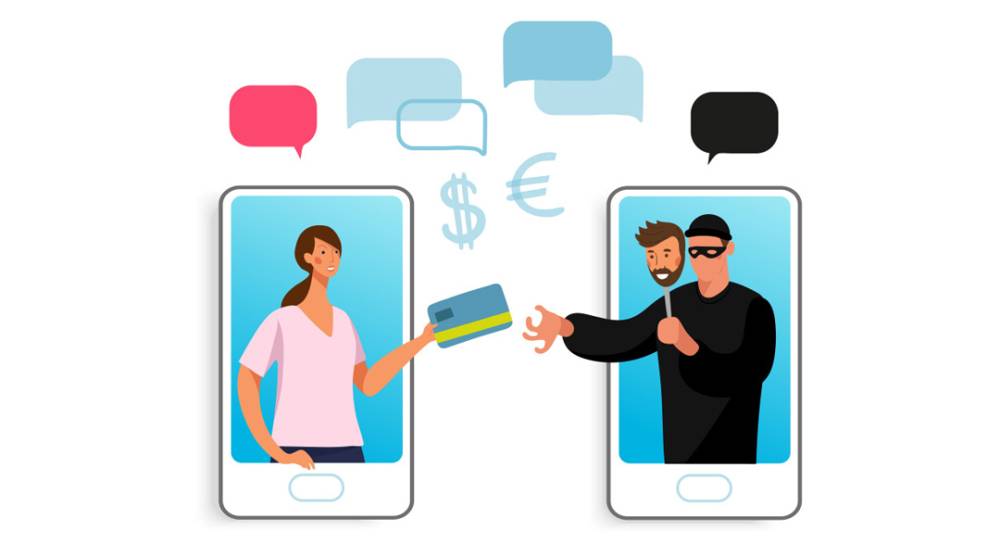
With the widespread use of smartphones and app stores, fake apps have become a growing cybersecurity concern. These malicious apps often appear to be legitimate, mimicking popular applications to trick users into downloading them. Once installed, fake apps can steal sensitive data, deliver malware, or engage in fraudulent activities like phishing or ransomware deployment.
What Are Fake Apps?
Fake apps are fraudulent applications designed to look like legitimate apps, often by copying logos, designs, and names. They are distributed on third-party app stores, and sometimes even sneak into official app platforms like Google Play or the Apple App Store. Unsuspecting users download these apps, believing they are authentic, and unknowingly compromise their device’s security.
Common Tactics Used by Fake Apps:
- Malware Distribution:
Fake apps often carry malware that can infect devices, leading to stolen passwords, banking information, or sensitive documents. This malware can also enable hackers to remotely control the device, making it part of a larger botnet used for cyberattacks. - Ad Fraud:
Many fake apps are used to generate revenue through fraudulent advertising. Once installed, the app may run ads in the background without the user's knowledge, draining battery life and consuming mobile data. - Phishing:
Fake apps may prompt users to enter login details or personal information, which is then sent directly to cybercriminals. For instance, fake banking apps often ask for account numbers and passwords, which are then used for financial theft. - In-App Purchases:
Some fake apps entice users with in-app purchases. However, after paying, users receive nothing in return, and their credit card details may be stolen for further fraudulent use.
Real-World Examples of Fake Apps:
Fake WhatsApp Apps: Several fake versions of WhatsApp have appeared over the years, some containing malware that tracked user activities, while others flooded devices with unwanted ads.
Banking App Scams: In 2019, a series of fake banking apps targeted users by mimicking real banks. These apps requested users' login credentials and then transferred funds from their accounts.
Fitness and Health Apps: Some fraudulent fitness apps claim to offer premium features or weight-loss solutions, but instead, they ask for payment information or inject malicious code into the device.
How to Spot a Fake App:
- Check the Developer:
Always verify the app developer's name. If it doesn’t match the legitimate company behind the original app, it’s a red flag. - Examine User Reviews:
Fake apps often have poor reviews or few reviews overall. Watch out for apps with multiple 5-star reviews but lack detailed feedback. - Look for Permissions Overreach:
Be cautious if an app requests unnecessary permissions like access to your contacts, messages, or location. Legitimate apps will typically only ask for permissions related to their functionality. - Pay Attention to Download Numbers:
Authentic apps usually have high download numbers. If an app with a popular name has very few downloads, it could be fake.
Protecting Yourself from Fake Apps:
- Stick to Official App Stores:
Only download apps from trusted platforms like the Google Play Store or Apple App Store. Even on these platforms, be vigilant about checking for potential signs of a fake app. - Update Your Device Regularly:
Keeping your phone’s operating system and apps up to date ensures that security patches are in place to defend against malicious software. - Install a Mobile Security App:
Use reputable mobile security software that can scan apps for malware and alert you to any suspicious behavior on your device. - Avoid Downloading Apps from Third-Party Websites:
Third-party app stores often lack the security vetting found in official stores, making it easier for fake apps to slip through. - Read App Descriptions Carefully:
Fake apps often contain grammatical errors, vague descriptions, or mismatched app names. Take the time to read the details before downloading.
Fake apps present a serious threat to users by disguising themselves as legitimate applications while hiding malicious intent. Staying vigilant, verifying the authenticity of apps, and practicing good mobile security habits can help protect your personal information and prevent financial loss. As mobile malware becomes more sophisticated, the importance of knowing how to spot and avoid fake apps cannot be overstated.